
For safety officers
 For safety officers
Less time chasing paperwork. More time on site.
You know what good looks like on site. The hard part is the paper: getting checklists back, chasing certificates, keeping appointment letters current and pulling a file together when someone asks for it.
Sound familiar?
- The checklists come back late, incomplete, or not at all.
- I find out a certificate has expired when someone asks for it.
- Putting the file together for an audit takes days.
- I cannot be on every site, but I am expected to know what is happening on all of them.
What changes with ProComply
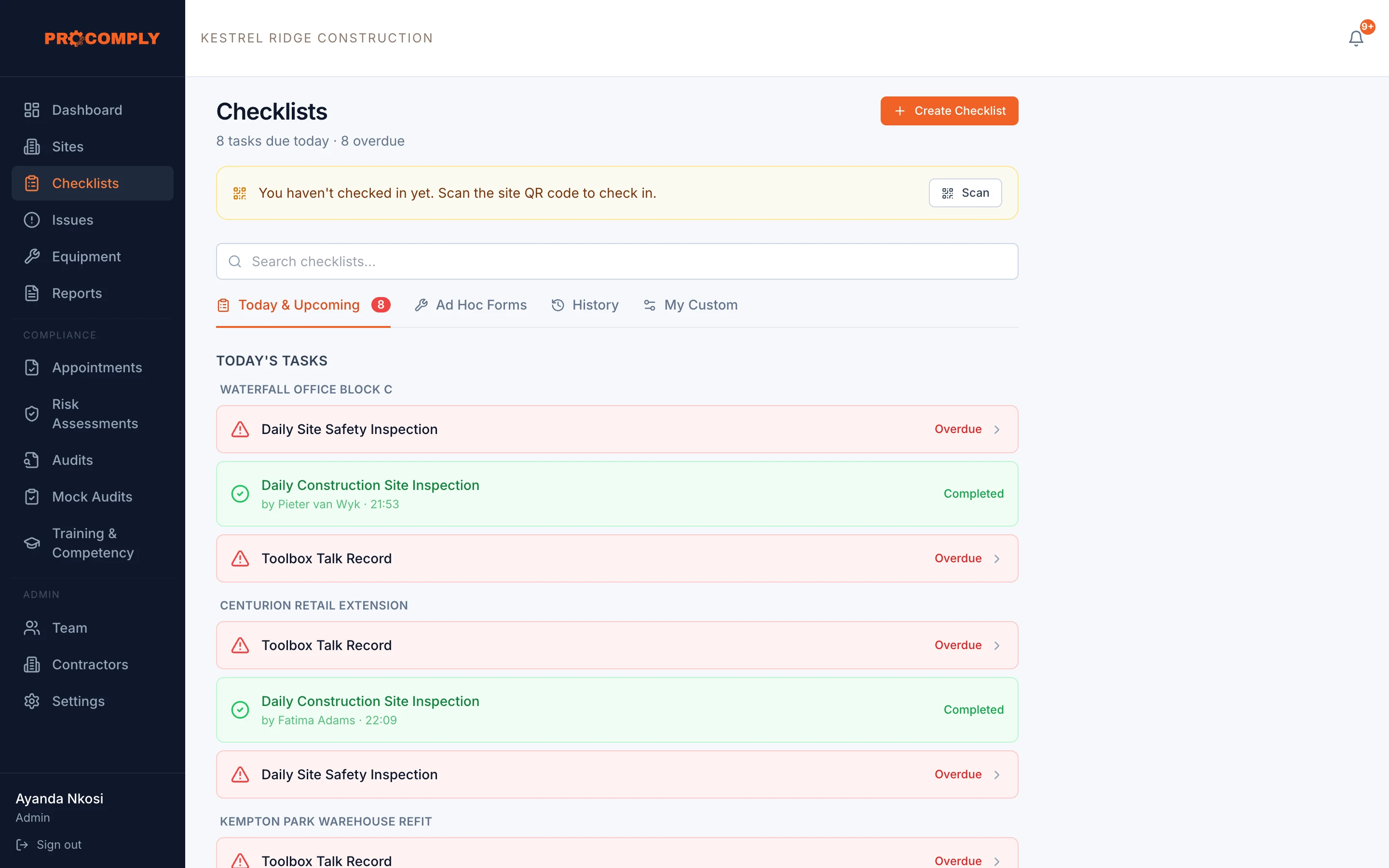
- Checklists you can see coming in
- What is due, done and overdue on every site, on one screen. Missed checklists are listed, not hidden.
- Problems that turn into actions
- Failed critical questions raise issues automatically, assigned to someone with a target date.
- Expiry dates that warn you first
- Reminders before equipment licences, services, appointments, risk assessment reviews and training certificates expire.
- A file you do not have to build by hand
- The Health and Safety File for each site is regenerated every night, and other reports are a few clicks away.
The parts you will use most
- ChecklistsDaily site inspections, locked on submitHow it works
- IssuesHazards tracked from report to close outHow it works
- AppointmentsAppointment letters, filed by roleHow it works
- Risk assessmentsAssessments recorded per taskHow it works
- ReportsPDF reports for audits and inspectionsHow it works
- ContractorsDocuments, inductions and site accessHow it works
Guides on this topic
- LegislationSection 16(2) appointments: who is legally responsibleHow section 16 of the OHS Act places responsibility on the chief executive officer, what a 16(2) assignment does, and what it does not take off the CEO’s shoulders.
- TemplatesRisk assessments (HIRA) explained, with a free templateWhere the duty to assess risk comes from in the OHS Act and the Construction Regulations, a simple way to run a hazard identification and risk assessment, and a printable HIRA template.
- Inspections and auditsWhat happens during a Department of Employment and Labour inspectionPublishing soon
Questions we hear
Will this replace me?
No. ProComply does not do the safety work. It takes the paper chasing off your desk so you can spend more time on site, where you are needed.
Can I manage several sites?
Yes. Supervisors see the sites they are assigned to, and admins see every site.
Can contractors complete checklists too?
Yes. Contractors use their own portal to complete the checklists you assign them and to upload their documents.
Get started
See it with your own sites in mind.
Book a demo and we will walk through ProComply using the kind of work you do, the checklists you need and the way your sites are run. Or start now and set up your first site today.