
Risk assessments
 Risk assessments
Risk assessments that match the work being done.
Keep each risk assessment with the task it covers, the site, the person who completed it and its review date, so the right assessment is on hand when the work starts.
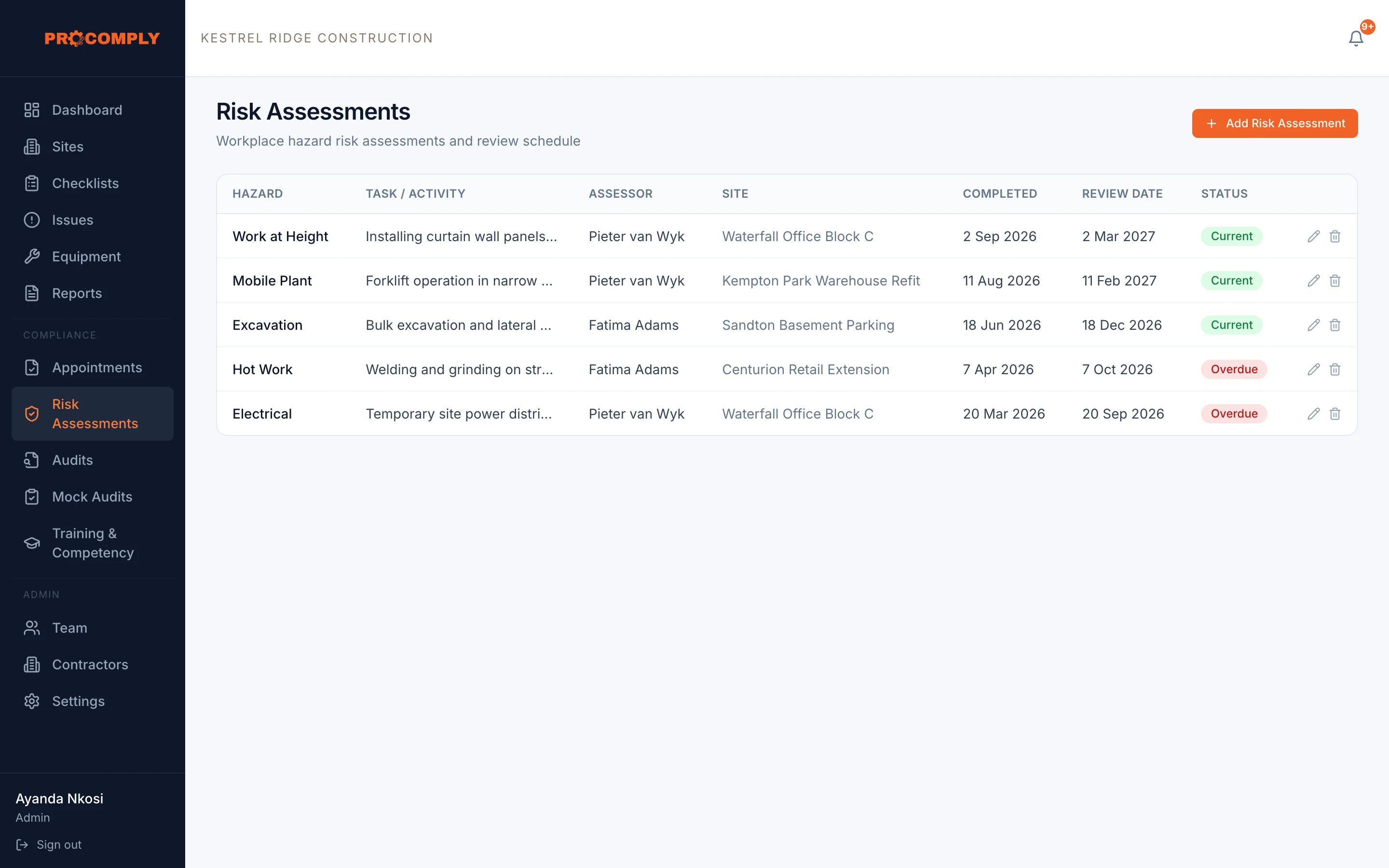
Status shows current, review due or overdue
How it works
Record the assessment
Enter the hazard category, describe the task or activity, choose the site, and record who completed it, when, and when it must be reviewed. Attach the document.
Review on time
ProComply reminds you 90 and 30 days before the review date and marks assessments as review due or overdue.
What it covers
- Hazard category and task description
- Per site, with the assessor and date completed
- Document attached to the record
- Review date with current, review due and overdue status
- Reminders 90 and 30 days before review
- Works offline
Who uses it
- Safety officersKeep every assessment in one place and know which are due for review.
- SupervisorsFind the assessment for the task in front of them.
Guides on this topic
- TemplatesRisk assessments (HIRA) explained, with a free templateWhere the duty to assess risk comes from in the OHS Act and the Construction Regulations, a simple way to run a hazard identification and risk assessment, and a printable HIRA template.
- ConstructionConstruction Regulations 2014: what site owners must have in placePublishing soon
Questions about risk assessments
Does ProComply carry out the risk assessment for us?
No. Your competent person does the assessment. ProComply keeps the record, the document and the review date, and reminds you when it is due.
Get started
See it with your own sites in mind.
Book a demo and we will walk through ProComply using the kind of work you do, the checklists you need and the way your sites are run. Or start now and set up your first site today.