
Issues
 Issues
Nothing raised on site gets lost between the report and the fix.
Anyone can raise a hazard from site with a photo. It is assigned to someone, given a target date and tracked until it is closed, with a dated record of who did what along the way.
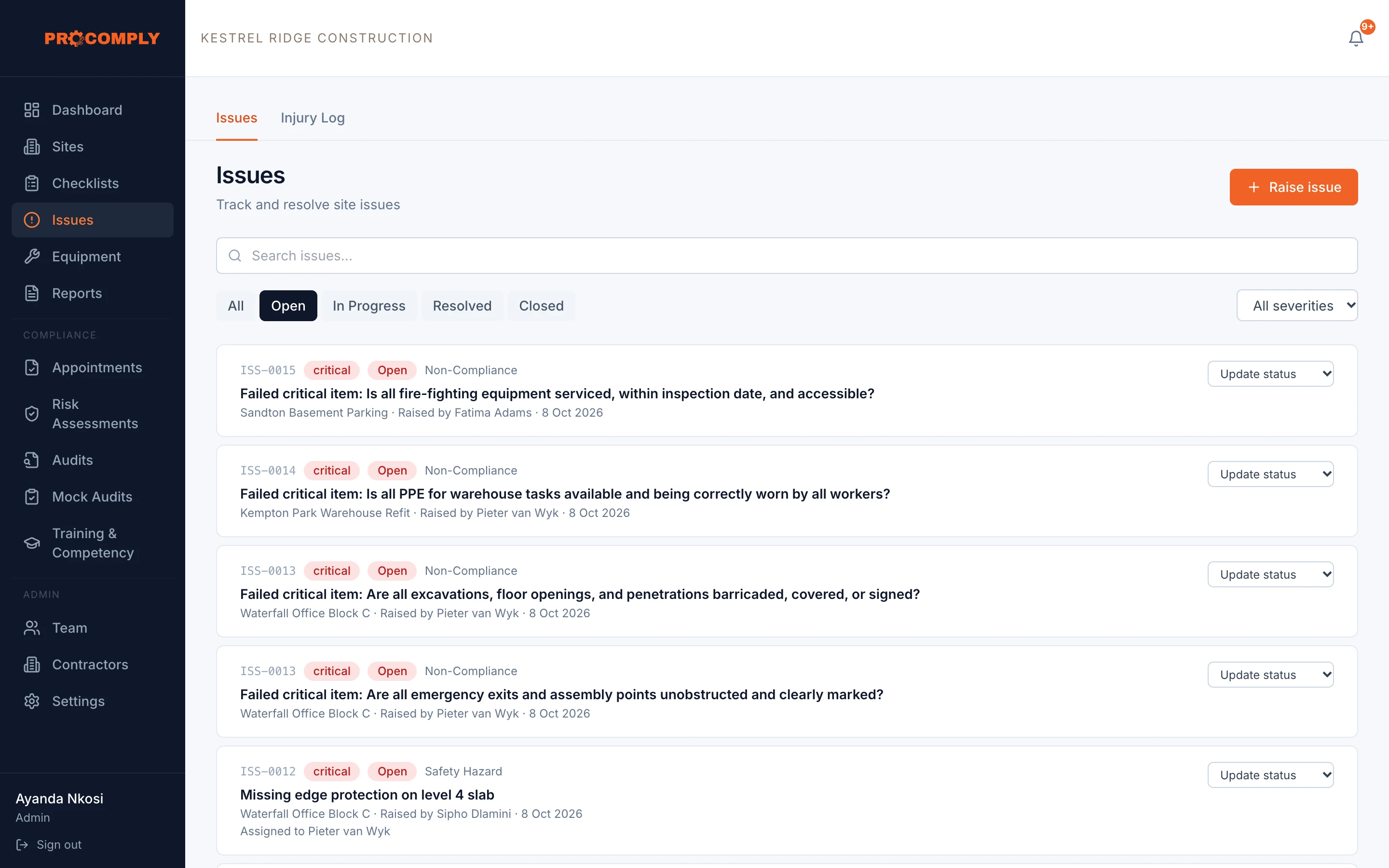
Failed critical checklist items raise issues automatically
How it works
Raise it where you see it
Record the category, severity, where on site it is and a photo. It works offline too.
Assign and set a date
Give it to the person who will fix it, with a target resolution date.
Record the fix
Note the root cause and corrective action, then move it through In progress, Resolved and Closed.
What it covers
- Categories: safety hazard, equipment failure, non compliance, near miss, environmental, security
- Severity from low to critical
- Statuses: open, in progress, resolved, closed
- Assigned person and target resolution date
- Root cause and corrective action recorded
- Photos attached to the issue
- Recurring issues marked as recurrences
- Issues raised automatically from failed checklist items
- Injury log kept alongside issues
- Issues register in PDF reports
Who uses it
- Anyone on siteRaises what they see, with a photo, from their phone.
- SupervisorsAssign, follow up and close out, with dates that show it was dealt with.
- Owners and managersSee open and critical issues across every site on the dashboard.
Guides on this topic
- Incidents and COIDIncident reporting and investigation under the OHS ActPublishing soon
- Inspections and auditsWhat happens during a Department of Employment and Labour inspectionPublishing soon
Questions about issues
Can issues be raised without signal?
Yes. Issues raised offline are saved on the phone and sent when it is back in signal.
Do failed checklist questions create issues?
Yes. Each failed critical question raises its own issue, and other failed questions on the same submission are grouped into one issue.
Where are injuries recorded?
In the injury log, which sits alongside issues.
Get started
See it with your own sites in mind.
Book a demo and we will walk through ProComply using the kind of work you do, the checklists you need and the way your sites are run. Or start now and set up your first site today.