
Appointments
 Appointments
Know who holds each legal appointment, on every site.
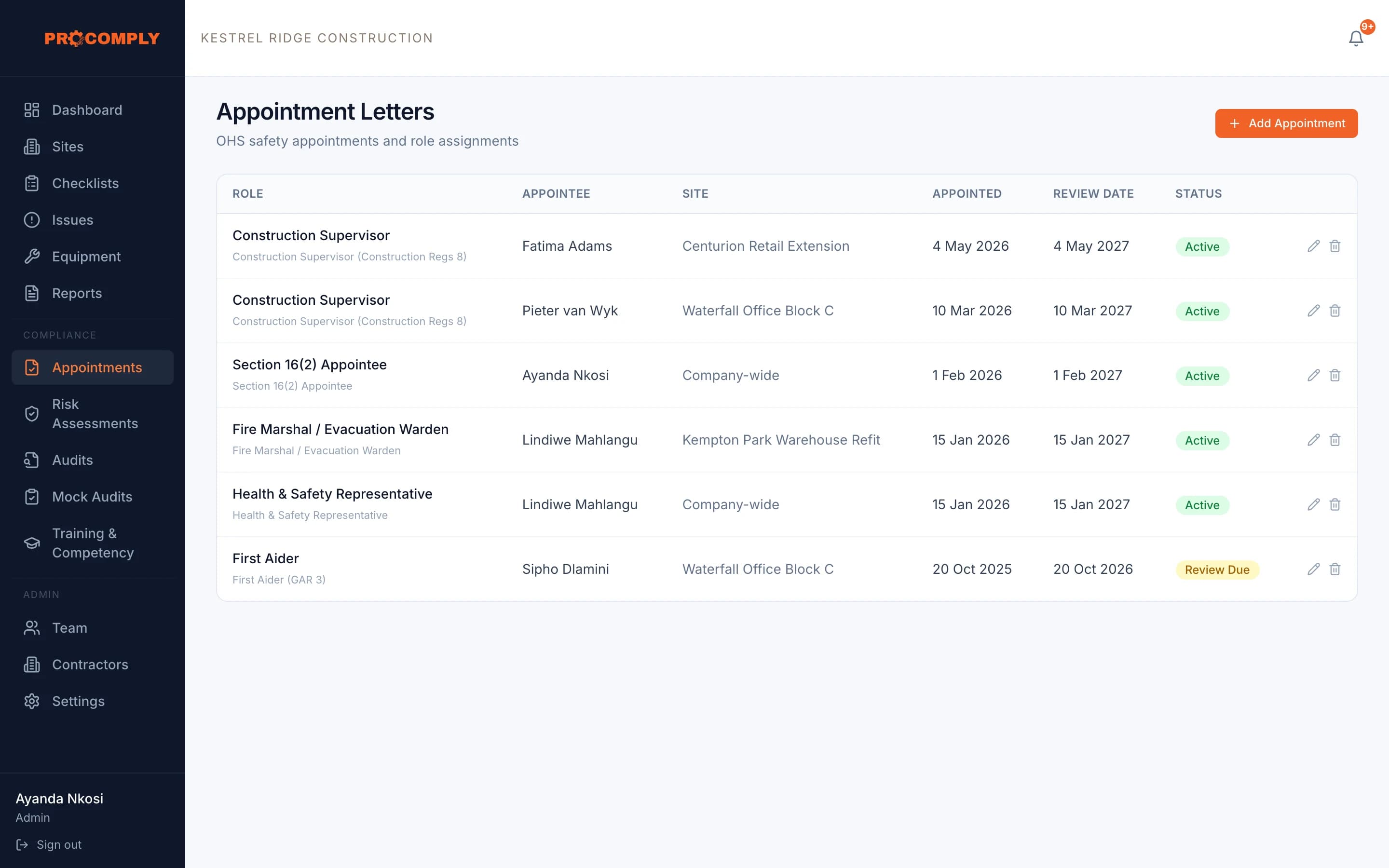
File appointment letters by role, person and site, with the date appointed and the date for review. ProComply shows what is current, what is due for review and what is overdue.
Reminders 90 and 30 days before a review is due
How it works
Record the appointment
Choose the role, the person and the site (or company wide), the date appointed and the review date, and upload the signed letter.
Keep it current
Status moves from active to review due to overdue as dates pass, and ProComply sends reminders before reviews fall due.
What it covers
- Roles including Section 16(2) appointee, construction supervisor, health and safety representative, health and safety committee member, first aider, fire marshal and incident investigator
- Company wide or per site
- Signed letter stored with the record
- Review dates with active, review due and overdue status
- Reminders 90 and 30 days before a review is due
- Works offline
Guides on this topic
- LegislationSection 16(2) appointments: who is legally responsibleHow section 16 of the OHS Act places responsibility on the chief executive officer, what a 16(2) assignment does, and what it does not take off the CEO’s shoulders.
- LegislationThe OHS Act explained for business ownersWhat the Occupational Health and Safety Act 85 of 1993 asks of employers, chief executive officers and employees, in plain language, with every point linked to the Act itself.
- ConstructionConstruction Regulations 2014: what site owners must have in placePublishing soon
Questions about appointments
Does recording an appointment in ProComply make it legally valid?
No. The appointment itself is the signed letter and what it says. ProComply stores the letter, tracks review dates and shows who holds each role.
Which appointments can we record?
Section 16(2) appointees, construction supervisors, health and safety representatives and committee members, first aiders, fire marshals, incident investigators, and other roles you need.
Get started
See it with your own sites in mind.
Book a demo and we will walk through ProComply using the kind of work you do, the checklists you need and the way your sites are run. Or start now and set up your first site today.