
Checklists
 Checklists
Know every site was checked today, and be able to prove it.
Your team does the day’s inspections on a phone, on site. Photos, a signature and the phone’s location go with every submission, and once it is submitted nobody can change it.
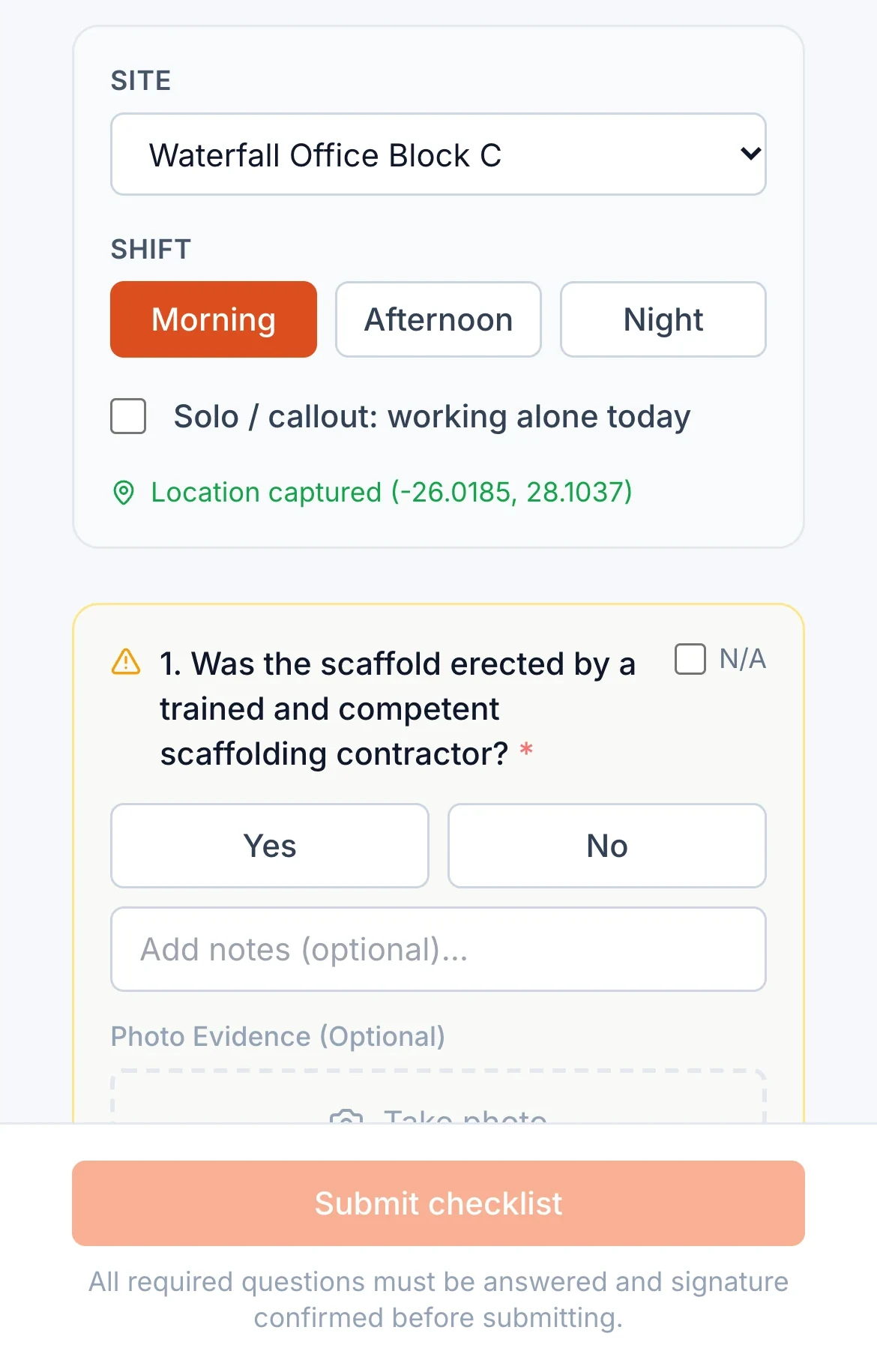
Phone location compared with the site
How it works
Choose what each site needs
Start from standard templates for your industry, including daily site inspections, toolbox talks and weekly audits, or build your own. Set how often each one is due and on which working days.
Check in and complete it on site
The worker scans the site QR code to check in, then works through the checklist, answering each question and adding notes and photos where needed. No signal? It saves on the phone and sends when there is a connection.
Submit and lock
On submit, ProComply records who, where and when, calculates a SHA-256 checksum of the submission and locks it. Checklists that need a supervisor’s countersignature wait for one.
Failures become issues
A failed critical question raises its own issue automatically, and other failed questions on the same submission are grouped into one issue, so problems are tracked rather than forgotten in a form.
What it covers
- Standard templates by industry, plus your own custom checklists
- Daily, weekly, monthly and ad hoc checklists, scheduled on each site’s working days
- Site check in by QR code
- Photos, notes and a signature on each submission
- Phone location compared with the site, with a flag and the distance if it was completed elsewhere
- Works offline and sends when back in signal
- SHA-256 checksum and a database lock on every submission
- Supervisor countersign where a checklist requires it
- Missed checklists show up, and appear in reports
- Template changes are saved as new versions, so past answers keep the questions they were answered against
Who uses it
- Site workersDo the checks on the phone in their pocket, with no paperwork to carry back to the office.
- SupervisorsSee what is due and overdue across their sites and countersign where needed.
- Owners and managersSee every site’s checklist score and status without chasing anyone.
Guides on this topic
- TemplatesDaily site inspection checklists, with free templatesWhy a short daily inspection is one of the most useful habits on a high risk site, what a good one covers, how to make it stick, and a printable daily site inspection checklist.
- Inspections and auditsWhy paper records fail in an auditPublishing soon
- LegislationThe OHS Act explained for business ownersWhat the Occupational Health and Safety Act 85 of 1993 asks of employers, chief executive officers and employees, in plain language, with every point linked to the Act itself.
Questions about checklists
Can a submitted checklist be changed?
No. The database refuses changes to a submission and its answers once it is submitted. Corrections are made with a new submission or an issue, so the original stays on record.
What happens if a worker has no signal on site?
The checklist is saved on the phone and sent automatically when the phone is back in signal.
Can we use our own checklists?
Yes. You can start from the standard templates or build your own, and set how often each one is due.
How does the location check work?
When a checklist is submitted, ProComply compares the phone’s location with the site’s location. If they are far apart, the submission is flagged with the distance so a supervisor can look into it.
Get started
See it with your own sites in mind.
Book a demo and we will walk through ProComply using the kind of work you do, the checklists you need and the way your sites are run. Or start now and set up your first site today.