
Contractors
 Contractors
Contractors on site with their paperwork checked, not promised.
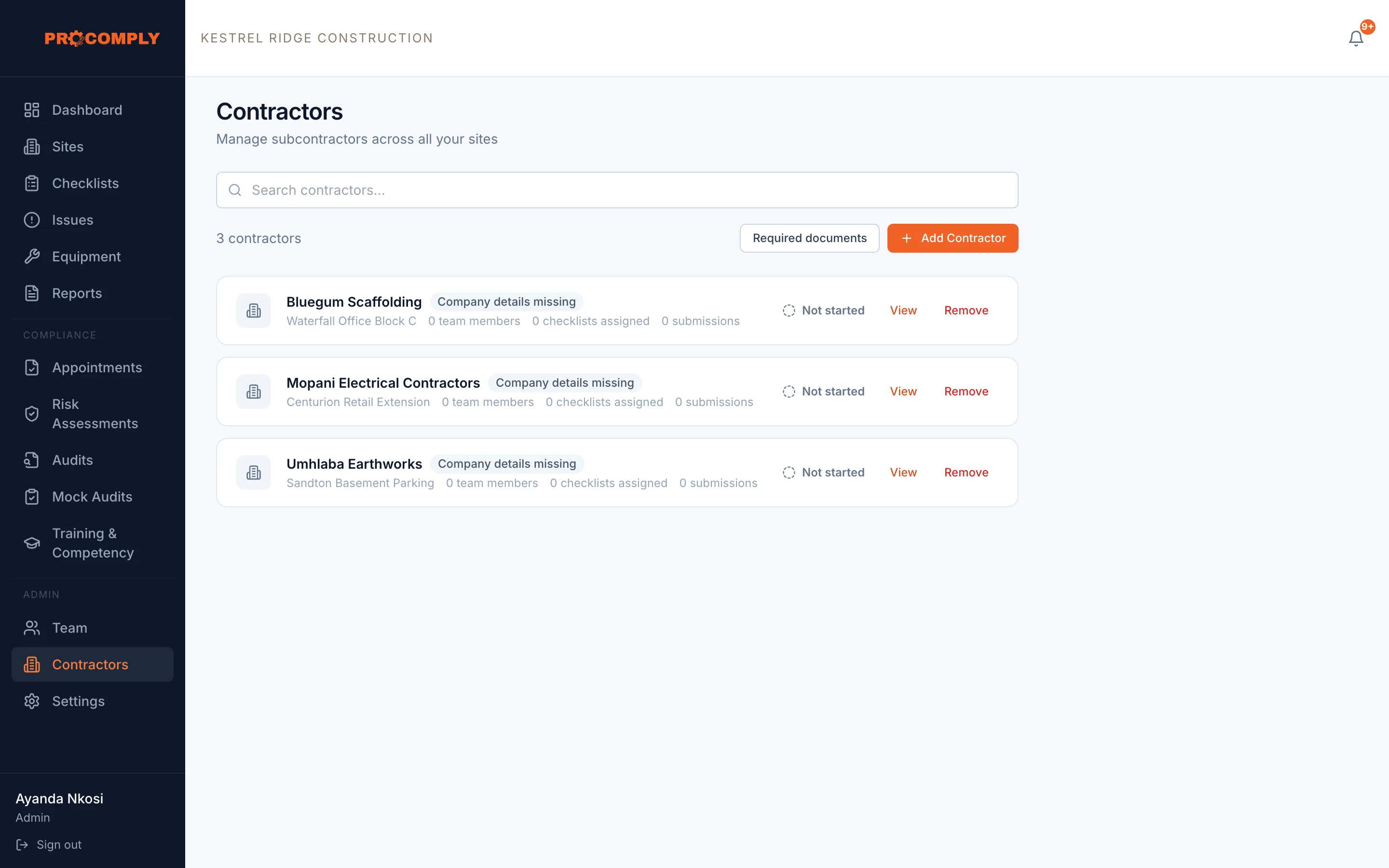
Invite each contractor company to its own portal. They upload their compliance documents and complete the checklists you assign, and you see it all without giving them access to the rest of your system. Contractor management is part of the Platinum plan.
Document reminders 30, 14 and 7 days before expiry
How it works
Add and invite
Add the contractor company, assign it to sites and invite its people to the contractor portal.
Collect their documents
Choose which documents you require, such as COID registration, tax clearance, public liability insurance and OHS compliance certificates. Contractors upload them with issue and expiry dates.
Review and keep current
Accept or reject each document with a reason. ProComply reminds contractors before documents expire.
See their checklists
Assign checklists to a contractor for a site. Their submissions are checksummed, can require your sign off, and appear in a contractor report.
What it covers
- Separate contractor portal, with no access to the rest of your system
- Contractor companies assigned to sites with start and end dates
- Required document types, with expiry dates
- Document review: accept or reject with a reason
- Document reminders 30, 14 and 7 days before expiry, and on the day
- Exemptions for a document, with a reason and an end date
- Checklists assigned to contractors per site
- Contractor submissions with SHA-256 checksums
- Contractor report as a PDF
Guides on this topic
- ContractorsManaging contractors: Section 37(2) agreements explainedPublishing soon
- ConstructionConstruction Regulations 2014: what site owners must have in placePublishing soon
Questions about contractors
Which plan includes contractor management?
Contractor management, including the contractor portal, is part of the Platinum plan.
Can contractors see our other data?
No. Contractors use a separate portal that only shows their own company, their documents and the checklists assigned to them.
Which documents can we require?
You choose the document types. Common ones are COID registration, a tax clearance certificate, public liability insurance and an OHS compliance certificate.
Does this replace a Section 37(2) agreement?
No. A Section 37(2) agreement is a legal document between you and the contractor. ProComply helps you keep the documents and records that go with managing contractors.
Get started
See it with your own sites in mind.
Book a demo and we will walk through ProComply using the kind of work you do, the checklists you need and the way your sites are run. Or start now and set up your first site today.