
Reports
 Reports
A report ready when the inspector, auditor or client asks.
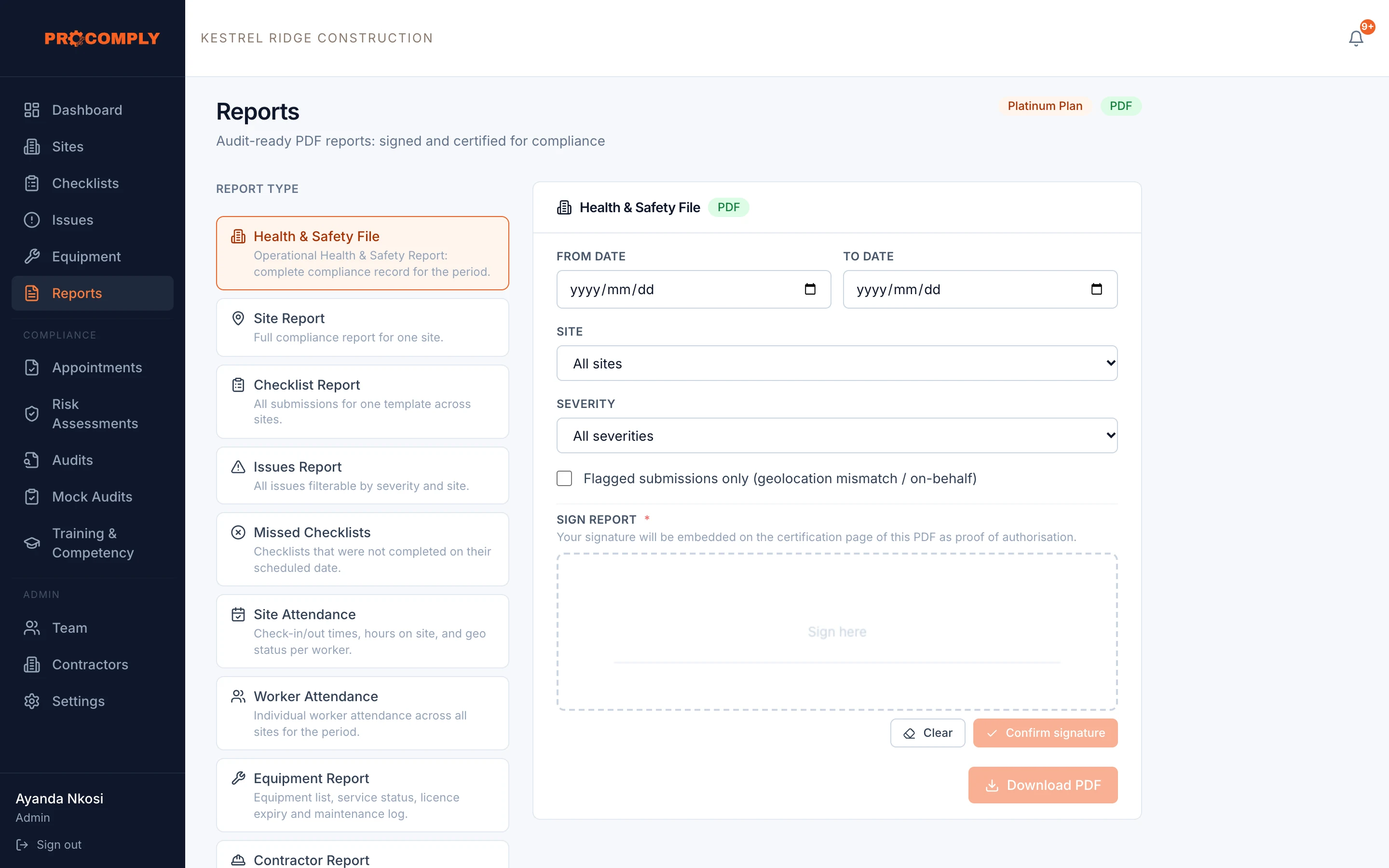
Choose the report, the site and the period, sign it, and download a PDF. Each checklist submission’s SHA-256 checksum is printed on it, so the report can be matched to the records behind it.
Submission checksums printed in the PDF
How it works
Pick the report
Choose from the Health and Safety File, site, checklist, issues, missed checklists, site and worker attendance, equipment and contractor reports.
Set the scope
Choose the dates, the site and, where it applies, the severity. You can also pull only flagged submissions, such as those completed away from the site.
Sign and download
Sign the report on screen and download the PDF.
What it covers
- Health and Safety File for a site, regenerated every night
- Site, checklist and issues reports
- Missed checklists report
- Site and worker attendance reports
- Equipment and contractor reports
- Filter by date, site and severity, or flagged submissions only
- Signature on the report
- SHA-256 checksum of each checklist submission printed in the PDF
Guides on this topic
- Inspections and auditsWhat happens during a Department of Employment and Labour inspectionPublishing soon
- Inspections and auditsWhy paper records fail in an auditPublishing soon
- ConstructionConstruction Regulations 2014: what site owners must have in placePublishing soon
Questions about reports
What does the checksum on the report mean?
When a checklist is submitted, ProComply calculates a SHA-256 checksum of it. The checksum is printed on the report beside each submission, so the report can be matched to the submitted record.
How often is the Health and Safety File updated?
The Health and Safety File for each site is regenerated every night, and you can also generate one for any period yourself.
Get started
See it with your own sites in mind.
Book a demo and we will walk through ProComply using the kind of work you do, the checklists you need and the way your sites are run. Or start now and set up your first site today.